
How to Get Court Records
Route your request to the right office. The District Clerk holds 115th District Court civil, family, tax, Attorney General, DFPS, adoption, juvenile, and felony criminal files, while the County Clerk keeps County Court, probate, and county-level public records. JP and city clerks maintain their own lower-court files. Start online when you know the correct portal. Keep the phone, counter, mail, and fax routes ready for missing or certified material.
- Identify the court, case type, party, and cause number.
- Search the proper local portal or re:SearchTX when coverage is available.
- Write down the exact document name, filing date, and page if shown.
- Call or visit the clerk to confirm access, current fee, and delivery method.
- Mail or fax a clear request when the office authorizes that channel.
- State whether a plain, certified, or authenticated copy is needed.
No universal turnaround exists for a court records request. The District Clerk takes calls and faxes but lists no general public email. The County Clerk is easier to reach. It offers phone, fax, email, physical and mailing addresses, plus old and current portals. If you seek judicial records under Texas Rule 12, put the request in writing. Direct it to the custodian. Describe the record specifically enough to identify a nonexcluded document.
Upshur District Clerk Records Desk
The District Clerk serves as custodian for the 115th District Court in Upshur County. Who holds the seat is less settled. The county's own page names Melissa Chevalier. A May 2025 OCA listing names Nicole Hernandez. Since the two official sources conflict, confirm the officeholder instead of trusting either name. The office function, address, and main contacts stay the same either way.
Upshur County District Clerk
Upshur County Justice Center
405 North Titus Street
Gilmer, Texas 75644
Phone: 903-843-5031
Fax: 903-843-3540
Monday through Thursday, 8:00 a.m. to 4:30 p.m.
Friday, 8:00 a.m. to 2:00 p.m.
The official District Clerk page lists its custodial role and current public contact block.
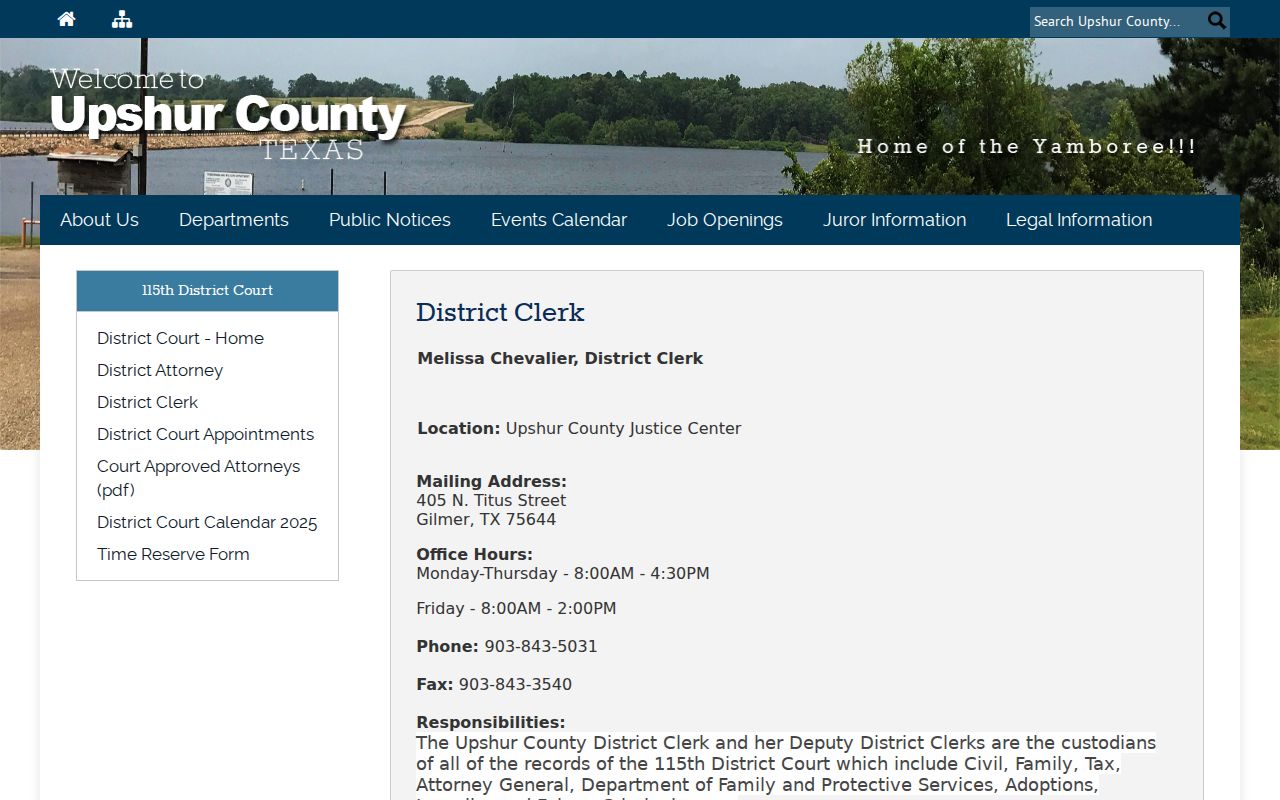
Recheck the office listing before sending an Upshur County court records request. It carries current hours, staff names, and linked fee material.
Types of Court Records
Upshur County court records split along jurisdiction lines. Knowing which court handled a case tells you where its file sits. District clerk holdings reach the widest. Major civil suits, felony criminal cases, and family, tax, juvenile, adoption, and child-welfare matters all land there. The county clerk keeps a different set, holding County Court files plus probate. Then come the lower courts. Their dockets are broad in a humbler way. They cover Class C misdemeanors, small claims, justice cases, evictions, magistrate work, city ordinance violations, and traffic citations.
- Pleadings, petitions, answers, motions, and filed notices
- Orders, judgments, dispositions, and sentencing documents
- Hearing settings, resets, appearances, and docket entries
- Probate applications, inventories, notices, and accountings when public
- Service, citations, writs, bonds, registry, and cost entries
Not everything in the clerk's index belongs to a court docket. A deed or lien recorded in the County Clerk's document index is an official public instrument, not a docket event. That legacy index sorts by grantor, grantee, recording date, instrument number, book, volume, page, and document type.
Documents Behind Upshur Docket Entries
Each document behind a docket line does its own job. A pleading states a party's claim or response. A motion asks the judge for an order. An order records a ruling; a judgment records the court's final decision. Exhibits back up a filing but may face separate access limits. Certification is the clerk's authentication of a copy. All of these run deeper than the time-stamped docket entry noting their filing.
The District Clerk's e-filing rules show how a file is built. Filers submit word-searchable PDFs, one filing item per PDF, at 300 DPI. Exhibits attach to the main document, with proposed orders as separate files. Everything moves through an electronic filing service provider in the eFileTexas environment. The technology changes nothing about custody; the clerk still holds the record.
What a Court Record Contains
A complete court record can hold far more than a portal result shows. What lands in the file depends on the case type, its stage, and access law. Money lines may reference filing fees, bonds, registry funds, costs, fines, restitution, or excess proceeds. One docket line alone proves no balance.
| Cause Number | The court's identifier for the case |
|---|---|
| Case Style | The names used in the case heading |
| Filed Item | A petition, indictment, motion, response, exhibit, or notice |
| Setting | A scheduled hearing, trial, arraignment, motion, or review |
| Court Action | An order, judgment, dismissal, sentence, or other disposition |
| Access Marking | Public, redacted, restricted, or sealed treatment |
Run the Upshur County case search first. It locates the cause number you need before ordering any named document.
Upshur's Two Judicial Portals
Upshur County splits its judicial records across two portals. Per the County Clerk, legacy judicial records run through February 28, 2025. Tyler UCMS handles everything from March 1, 2025 forward. That divide explains why a current search can come back empty. It also means the County Clerk route never pulls in District Clerk, JP, municipal, or federal records.
A separate County Clerk search covers recorded instruments. Exact and wildcard name searches return different results. The system takes instrument, book, volume, page, date, and document-type fields. Treat it as a document index, not a full case docket. The two record classes differ. When classification is unclear, call the County Clerk at 903-843-4015.
Certified Copies and Fees
Certification adds the clerk's authentication to a copy. An online index entry does not. Tell the clerk where the copy will be used and name the specific judgment, order, or filing you need. The District Clerk fee schedule is effective January 1, 2022, so confirm all current charges before ordering.
| Office and Item | Published Charge |
|---|---|
| District Clerk plain copy | $1 per page |
| District Clerk certified copy | $8 per document |
| County Clerk plain copy | $1 per page |
| County Clerk certified copy | $5 certification plus $1 per page |
| County Clerk authenticated copy | $7 authentication plus $1 per page |
| County Clerk certificate of fact | Confirm at order time |
Address mail requests to whatever the current custodian confirms. The County Clerk sits at 150 East Jefferson in Gilmer, with mail going to PO Box 730. A legacy address may still circulate, so check before sending.
Upshur Copy Types Compared
Three copy types exist, and the differences matter. A plain copy simply reproduces the record. A certified copy adds the clerk's formal certification. An authenticated copy carries the County Clerk's listed authentication service. Which one you need depends on the receiving court, agency, or filing requirement. How important the case feels to you does not decide it.
Ask the receiving body which form it accepts first. Then give the clerk the cause or instrument number. Include the exact document title and the page or filing date. That detail spares you from paying for a whole file when one judgment will do. Neither speed nor delivery method is promised; same-day service is not guaranteed.
Public Access and Sealed Records
Who can see a Texas court record depends on which rule applies. Courts answer to Rule 12 of the Texas Rules of Judicial Administration. That rule governs judicial records, not the Texas Public Information Act, which binds executive agencies instead. Rule 12 lets the public inspect and copy most judicial records during business hours. Nothing can be withheld unless an exclusion applies. But case files that sit at the heart of a lawsuit or prosecution follow extra layers. Court rules, statutes, and clerk procedures all shape what a judge's docket file can release.
A Rule 12 request must identify the record and proper custodian. The rule does not require creation of a new record or disclosure of excluded material.
A few specific rules matter most here. Rule 76a spells out when civil court records may be sealed. Rule 21c shields sensitive identifiers and data. Juvenile records fall under Texas Family Code Chapter 58. Adoption and child-protection files carry their own extra limits. Turned away under Rule 12? You have 30 days to appeal to the OCA Administrative Director. Fights over a case file itself can take other routes.
Sensitive Data in Upshur Filings
A public filing still hides plenty. Social Security and driver-license numbers can all be redacted or kept behind controlled access. So can passport data, tax IDs, bank accounts, birth dates, home addresses, and the names of minors. The clerk keeps an unredacted source; the public copy simply leaves the protected fields out.
When you ask for a filing, use the exact name. Don't fish for every private detail tied to a person. If the clerk limits access, ask which statute, rule, or court order controls the file. Ask what lawful process applies too. That line keeps open docket information separate from protected case content.